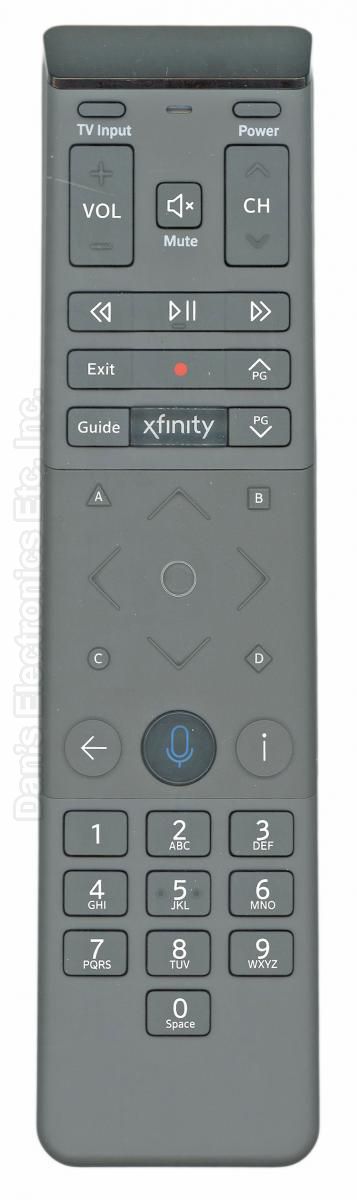
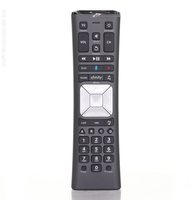
This is the xfinity XR15-UQ remote that came with xfinity Cable boxes. It is a voice remote.
Specifications
Radio frequency (RF)
Batteries: 2 AA (not included)
Setup / Pairing
Pairing with your X1 TV Box
Aim the remote at your TV Box.
Press the Microphone (Voice) button and say "Program remote." A notification confirms the remote is paired for voice control.
Follow the on-screen instructions.
Pairing with your TV
When asked "Do you want to use your remote to control your TV power and volume?", select Yes.
Type your TV brand with the on-screen keyboard and select OK, then select OK at "Ready to pair".
Try the volume. If it works, select It Works!; if not, select It Doesn't Work and try again.
What's in the Box
1 xfinity XR15-UQ remote
Batteries not included
Compatible Models
xfinity XR15-UQ
Also works with: XG2, Xi5, Xi6
Supplied with: X1 TV
Before ordering, check the model or part number printed on your old remote (usually on the back or inside the battery compartment) and compare it to this list.
The xfinity XR15-UQ Cable Remote Control is originally supplied with Cable Boxe models:xfinity X1 TV