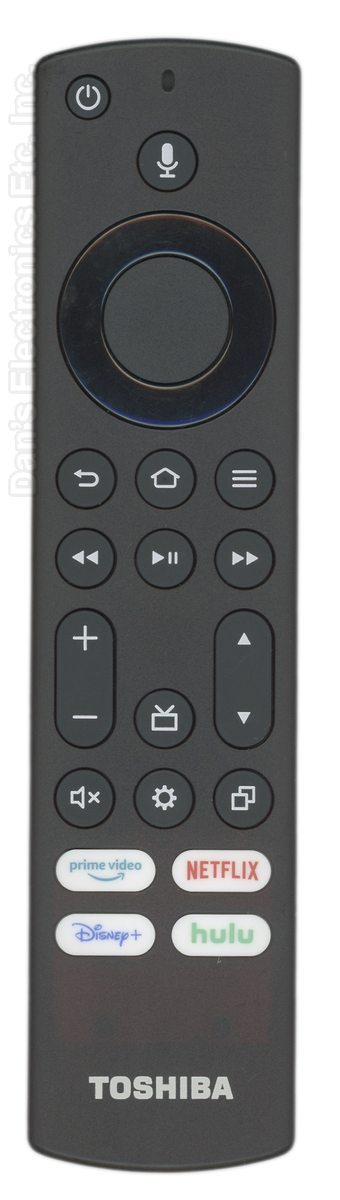
This is the Toshiba CT-RC1US-21 remote that came with Toshiba TVs. It is a voice remote.
Specifications
- Ships as: CTRC1US21
- Wireless: Bluetooth
- Batteries: 2 AAA (not included)
Good to Know
We may ship the newest model of this remote.
Setup / Pairing
- Insert the batteries (not included): press down firmly and slide the cover in the direction of the arrow.
- Unplug the Fire TV from power for 10 seconds, plug it back in, and let it fully start up to the Home screen before pairing.
- Press and hold HOME for up to 30 seconds. The TV recognizes the remote and pairs automatically.
- If the TV says the remote needs an update, let it finish (usually 1 to 3 minutes) without removing power or pressing buttons.
- If automatic pairing does not work, hold HOME for 10 seconds; when the TV detects the remote, press OK to finish pairing. You can also pair from Settings > Controllers & Bluetooth Devices > Add New Remote.
- If the remote will not pair or stops responding, reset it: press and hold LEFT, BACK and MENU together for 30 seconds, then power-cycle the TV and repeat the pairing steps.
Troubleshooting
- Install fresh batteries, unplug the TV for 10 seconds, and wait for the Home screen to fully load before pairing.
- Hold HOME for the full 30 seconds.
- Reset the remote: press and hold LEFT, BACK and MENU together for 30 seconds, release, then pair again.
- You can also pair from Settings > Controllers & Bluetooth Devices > Add New Remote.
- If the TV says the remote needs an update, let it finish (usually 1 to 3 minutes) without pressing any buttons.
What's in the Box
- 1 CTRC1US21 remote
- Batteries not included
Compatible Models
- Toshiba CT-RC1US-21 (Rev D)
Before ordering, check the model or part number printed on your old remote (usually on the back or inside the battery compartment) and compare it to this list.
Battery Required : AAA Battery 2 pack
Guaranteed Compatible Universal
: Anderic RRU401, Use code:
2678 (
click here for programming instructions)
Dimensions: 2.00 x 6.00 x 1.00 (W x L x D, inches)