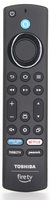
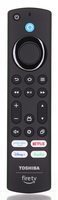
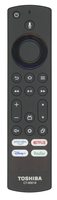
Specifications
- Ships as: PUW-2K19-YKF478
- Radio frequency (RF)
- Batteries: 2 AAA (not included)
Good to Know
We may ship the newest model of this remote.
Setup / Pairing
- Unplug the Fire TV for 10 seconds and plug it back in.
- Once it boots, press and hold HOME for up to 30 seconds.
Troubleshooting
- Install fresh batteries, unplug the TV for 10 seconds, and wait for the Home screen to fully load before pairing.
- Hold HOME for the full 30 seconds.
- Reset the remote: press and hold LEFT, BACK and MENU together for 30 seconds, release, then pair again.
- You can also pair from Settings > Controllers & Bluetooth Devices > Add New Remote.
- If the TV says the remote needs an update, let it finish (usually 1 to 3 minutes) without pressing any buttons.
What's in the Box
- 1 PUW-2K19-YKF478 remote
- Batteries not included
Compatible Models
- Also works with: 40C350KU, 65C350KU, 75C350KU
- Other part numbers: CT-95018, CT95018, 286941
- Supplied with: 43C350KU, 50C350KU, 55C350KU
Before ordering, check the model or part number printed on your old remote (usually on the back or inside the battery compartment) and compare it to this list.
Battery Required : AAA Battery 2 pack
Guaranteed Compatible Universal
: Anderic RRU401, Use code:
2678 (
click here for programming instructions)
Frequency Type : IR + RF
Dimensions: 2.00 x 6.00 x 1.00 (W x L x D, inches)