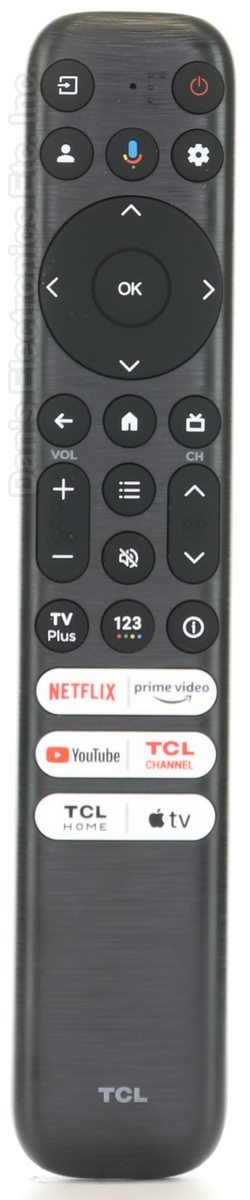
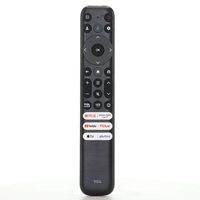
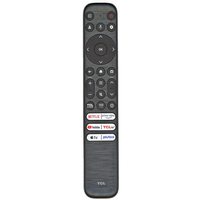
This is the TCL RC813 FMB1 remote that came with TCL Google TVs. It is an RF remote.
Specifications
- Radio frequency (RF)
- Batteries: 2 AAA (not included)
Good to Know
We may ship the newest model of this remote.
Setup / Pairing
Pairing with your TCL Google TV
- Turn on the TV.
- Stand within 3 feet (1 m) of the TV.
- Press and hold HOME and OK together until the pairing message appears on the TV, then release.
If pairing does not work
- Remove the batteries, wait 10 seconds and put them back in, then try again.
- Move Bluetooth devices away from the TV during pairing.
- Unplug the TV, wait 60 seconds, plug it back in and try HOME + OK again.
- If you can still navigate, go to Settings > Remotes & Accessories > Remote control pairing, then press HOME + OK on the new remote.
What's in the Box
- 1 TCL RC813 FMB1 remote
- Batteries not included
Compatible Models
- TCL RC813 FMB1
- Works with many TCL TVs, including models such as FMB3, 21001-000099 and 40S350G.
Before ordering, check the model or part number printed on your old remote (usually on the back or inside the battery compartment) and compare it to the full compatible models list.
Battery Required : AAA Battery 2 pack
Frequency Type : IR + RF
Dimensions: 2.00 x 6.00 x 1.00 (W x L x D, inches)