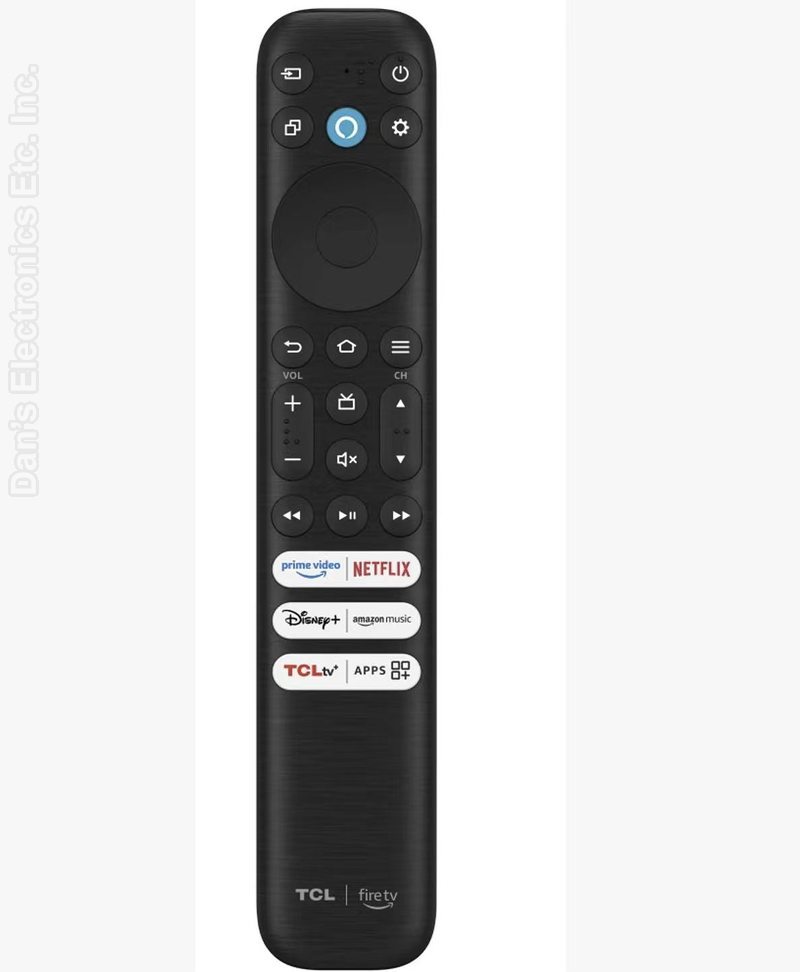
The TCL RC813 CMB1 remote control works for select TCL Amazon Fire TVs, including Q550F series models, providing full navigation, voice control, and smart TV functionality in one convenient handset. This remote features built-in Alexa voice capability and dedicated app shortcut buttons for quick access to popular streaming services, with no programming required for compatible TVs.
This remote is designed specifically for TCL Fire TV models and will not work with standard TCL Roku TVs, standalone Fire TV streaming devices, or other brands. It connects via Bluetooth and IR for reliable performance and must be paired to the TV for voice functionality.
Pairing Steps
Power On: Turn on your compatible TCL Android or Google TV.
Position Remote: Stand or hold the remote within 3 feet (1 meter) of the front of the television.
Press Buttons: Press and hold the Home button and the OK (center dial) button at the same time.
Wait for Confirmation: Keep holding both buttons for 5 to 10 seconds until an on-screen prompt or animation confirms that pairing is successful.
Test Voice: Press and hold the voice/microphone button to test your assistant functions.
Troubleshooting Failed Pairing
Check Batteries: Ensure two fresh AAA batteries are installed with matching polarity (+/-).
Power Cycle: Unplug your TV from the wall power outlet for 60 seconds, plug it back in, and try the button combination again.
Pair via TV Menu: If you have an alternate working remote or phone app controller, go to Settings > Remotes & Accessories > Remote Control Pairing to initiate pairing directly from the TV menu.
FCC ID : WBU-RC923C