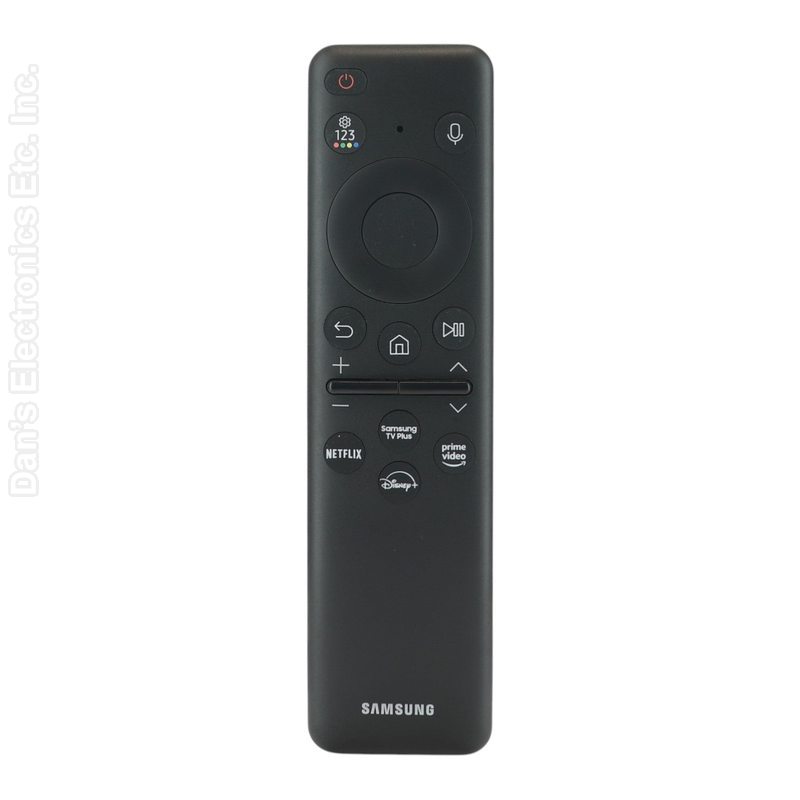
This is the Samsung BN59-01432D (TM2360E) SolarCell voice remote for Samsung TVs.
Specifications
- Radio frequency (RF)
- Power: built-in rechargeable battery
- Range: use within about 20 feet (6 m) of the TV; distance varies with conditions
Good to Know
- It pairs with one TV at a time.
We may ship the newest model of this remote.
Setup / Pairing
- Before first use, charge the remote with a USB-C cable for at least 30 minutes (the solar panel also charges it).
- Turn on the TV.
- Point the remote at the TV's sensor and press and hold the Return/Back and Play/Pause buttons at the same time for at least 3 to 5 seconds, until a pairing message appears on the screen.
- When the pairing message appears, the remote is paired and ready to use.
Troubleshooting
- If the remote does not pair automatically, point it at the TV and press and hold Back and Play/Pause together for 5 seconds.
- If the remote unpairs or acts up, the built-in battery may be low; recharge it.
What's in the Box
- 1 Samsung BN59-01432D remote
Compatible Models
- Samsung BN59-01432D (also sold as TM2360E)
Before ordering, check the model or part number printed on your old remote (usually on the back or inside the battery compartment) and compare it to this list.
FCC ID : A3LVGTM2360E
Frequency (GHz) : 2.4