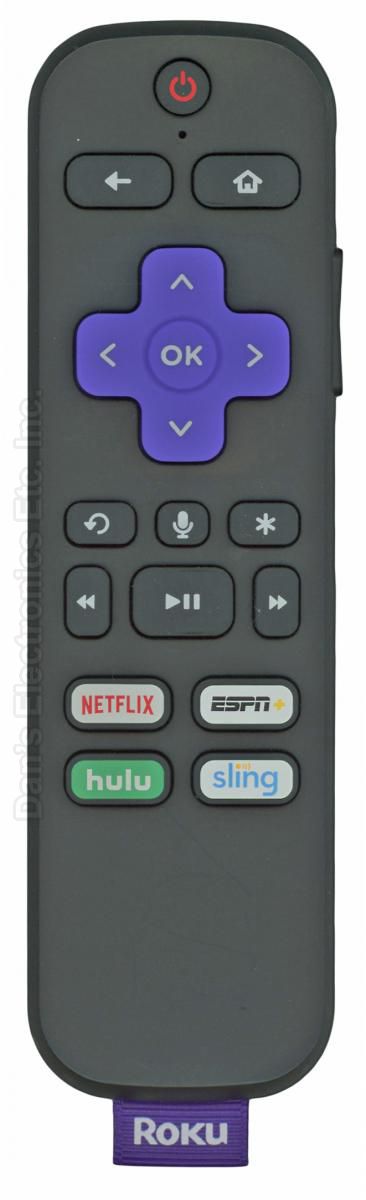
This is the Roku RC-AL2 remote that came with Roku streaming players. It is an RF remote.
Specifications
- Radio frequency (RF)
- Batteries: 2 AAA (not included)
Setup / Pairing
- Insert fresh batteries.
- Restart your Roku device or Roku TV: unplug the power for at least 5 seconds, then plug it back in.
- When the Home screen appears, press and hold the pairing button (in the battery compartment or on the back of the remote) for 5 seconds, until the status light flashes. If the remote has no pairing button, press and hold Back and Home together for 5 seconds.
- Wait for the on-screen message that the remote is paired.
Troubleshooting
- This remote does not add voice functions to a TV or player whose own remote had no voice; voice works only where the device supports it.
What's in the Box
- 1 Roku RC-AL2 remote
- Batteries not included
Compatible Models
- Roku RC-AL2 (part number 3226000610)
Before ordering, check the model or part number printed on your old remote (usually on the back or inside the battery compartment) and compare it to this list.
Battery Required : AAA Battery 2 pack
Frequency Type : IR + RF
FCC ID : 5959A-RCB14
Dimensions: 2.00 x 6.00 x 1.00 (W x L x D, inches)