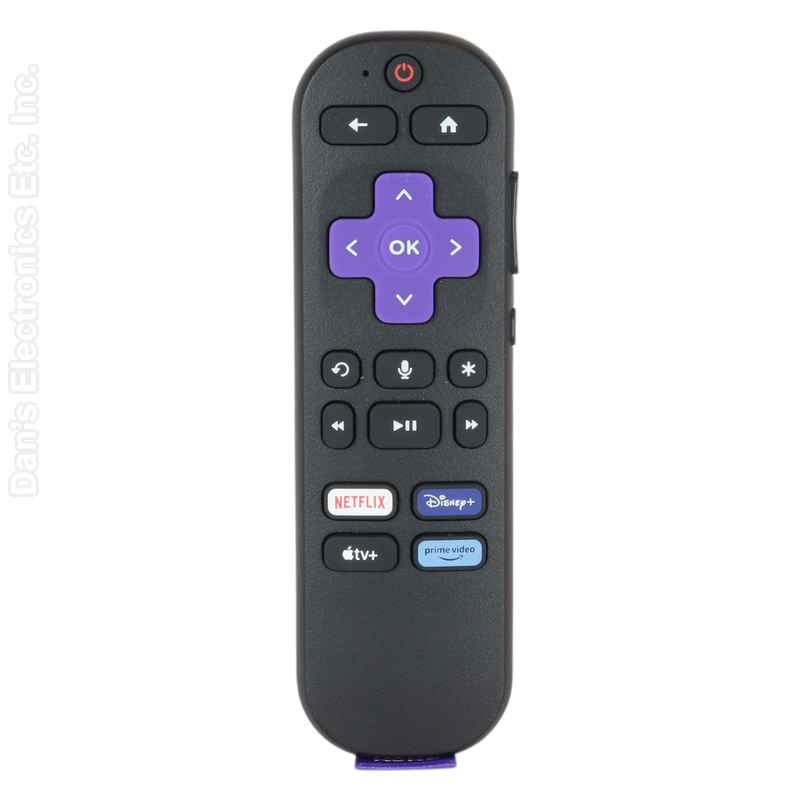
This is the Roku RC-BR1 remote that came with Roku streaming players. It is a voice remote.
Specifications
- Radio frequency (RF)
- Batteries: 2 AAA (not included)
Setup / Pairing
- Insert fresh batteries.
- Restart your Roku device or Roku TV: unplug the power for at least 5 seconds, then plug it back in.
- When the Home screen appears, press and hold the pairing button (in the battery compartment or on the back of the remote) for 5 seconds, until the status light flashes. If the remote has no pairing button, press and hold Back and Home together for 5 seconds.
- Wait for the on-screen message that the remote is paired.
Troubleshooting
- This remote does not add voice functions to a TV or player whose own remote had no voice; voice works only where the device supports it.
What's in the Box
- 1 Roku RC-BR1 remote
- Batteries not included
Compatible Models
- Roku RC-BR1
- Other part numbers: 3026000125
Before ordering, check the model or part number printed on your old remote (usually on the back or inside the battery compartment) and compare it to this list.
Dimensions: 2.00 x 6.00 x 1.00 (W x L x D, inches)