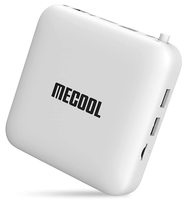
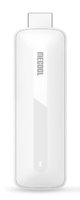
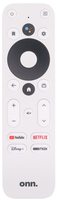
This is the MECOOL remote for the KM2 Android TV box and KD5 TV stick.
Specifications
- Radio frequency (RF)
- Batteries: 2 AAA (not included)
Good to Know
- For the MECOOL KM2 and KD5.
Setup / Pairing
- Install two AAA batteries (not included). Power on the compatible box or stick and select its HDMI input.
- KM2: keep the remote near the box and hold BACK and HOME together until the remote's LED flashes quickly, then follow the on-screen pairing process.
- KD5: hold BACK and HOME together for 5 seconds while near the stick, then follow the on-screen setup.
- These are push-button voice remotes that require pairing; they are not IR-only replacements with no pairing step.
What's in the Box
- 1 MECOOL KM2 and KD5 Streaming remote
- Batteries not included
Compatible Models
- Supplied with: Android 10.0 TV Box KM2, Android 11 KD5 HDTV stick
Before ordering, check the model or part number printed on your old remote (usually on the back or inside the battery compartment) and compare it to this list.
Battery Required : AAA Battery 2 pack
Frequency Type : IR + RF
Dimensions: 2.00 x 6.00 x 1.00 (W x L x D, inches)