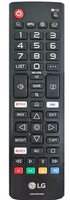
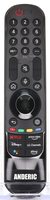
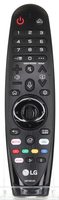
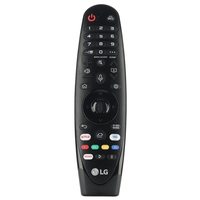
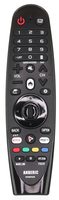
This is a replacement LG Magic Remote for LG webOS TVs that came with the AN-MR19BA (AKB75635305). It ships as the LG AN-MR20GA, which pairs the same way. It works with LG TVs such as 75UM7570PUD, 60UM7100DUA and 75UM7570AUE. This listing ships model LGMR20GA.
Specifications
- Ships as: LG AN-MR20GA
- Radio frequency (RF)
- Batteries: 2 AA (not included)
- RF operation with an on-screen pointer and scroll wheel
- Voice recognition: hold down the MIC button and speak
Good to Know
- To move it to another LG TV, unregister it first by holding Back and Home for more than 5 seconds.
We may ship the newest model of this remote.
Setup / Pairing
Pairing the Magic Remote
- Turn on your TV.
- After about 20 seconds, point the remote at the TV and press the Wheel (OK) button.
- The remote registers automatically and a pairing message appears on the screen. If it fails, turn the TV off and on again, then try again.
Re-registering
- If the pointer does not appear, point the remote at the TV and press and hold Back and Home together for more than 5 seconds until instructions appear. The remote is unregistered and registered again.
Unregistering (to use it with another TV)
- Press and hold Back and Home together for more than 5 seconds. The indicator light blinks to show the registration is canceled.
- Then pair it with the new TV using the steps above.
Troubleshooting
- If the Magic Remote fails to register, turn the TV off and on again, then try again.
- If the pointer does not appear, hold Back and Home together for more than 5 seconds to re-register the remote.
What's in the Box
- 1 LG AN-MR20GA remote
- Batteries not included
Compatible Models
- LG AN-MR19BA (AKB75635305)
- Supplied with: 75UM7570PUD, 60UM7100DUA, 75UM7570AUE, 75UM8070PUA, 75SM9970PUA, 86SM9070PUA
Before ordering, check the model or part number printed on your old remote (usually on the back or inside the battery compartment) and compare it to this list.
Dimensions: 1.90 x 6.90 x 0.90 (W x L x D, inches)