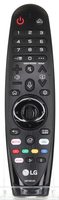
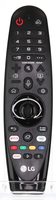
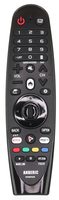
This is a replacement LG Magic Remote for LG webOS TVs that came with the AN-MR19BA (AKB75056016). It ships as the LG AN-MR20GA, which pairs the same way. It works with LG TVs such as OLED65C9PUA, OLED55C9PUA and OLED77C9PUB. This listing ships model LGMR20GA.
Specifications
- Ships as: LG AN-MR20GA
- Radio frequency (RF)
- Batteries: 2 AA (not included)
- RF operation with an on-screen pointer and scroll wheel
- Voice recognition: hold down the MIC button and speak
Good to Know
- To move it to another LG TV, unregister it first by holding Back and Home for more than 5 seconds.
We may ship the newest model of this remote.
Setup / Pairing
Pairing the Magic Remote
- Turn on your TV.
- After about 20 seconds, point the remote at the TV and press the Wheel (OK) button.
- The remote registers automatically and a pairing message appears on the screen. If it fails, turn the TV off and on again, then try again.
Re-registering
- If the pointer does not appear, point the remote at the TV and press and hold Back and Home together for more than 5 seconds until instructions appear. The remote is unregistered and registered again.
Unregistering (to use it with another TV)
- Press and hold Back and Home together for more than 5 seconds. The indicator light blinks to show the registration is canceled.
- Then pair it with the new TV using the steps above.
Troubleshooting
- If the Magic Remote fails to register, turn the TV off and on again, then try again.
- If the pointer does not appear, hold Back and Home together for more than 5 seconds to re-register the remote.
What's in the Box
- 1 LG AN-MR20GA remote
- Batteries not included
Compatible Models
- LG AN-MR19BA (AKB75056016)
- Works with many LG TVs, including models such as OLED65C9PUA, OLED55C9PUA and OLED77C9PUB.
Before ordering, check the model or part number printed on your old remote (usually on the back or inside the battery compartment) and compare it to the full compatible models list.
Frequency (GHz) : 2.4
Dimensions: 2.00 x 6.00 x 1.00 (W x L x D, inches)