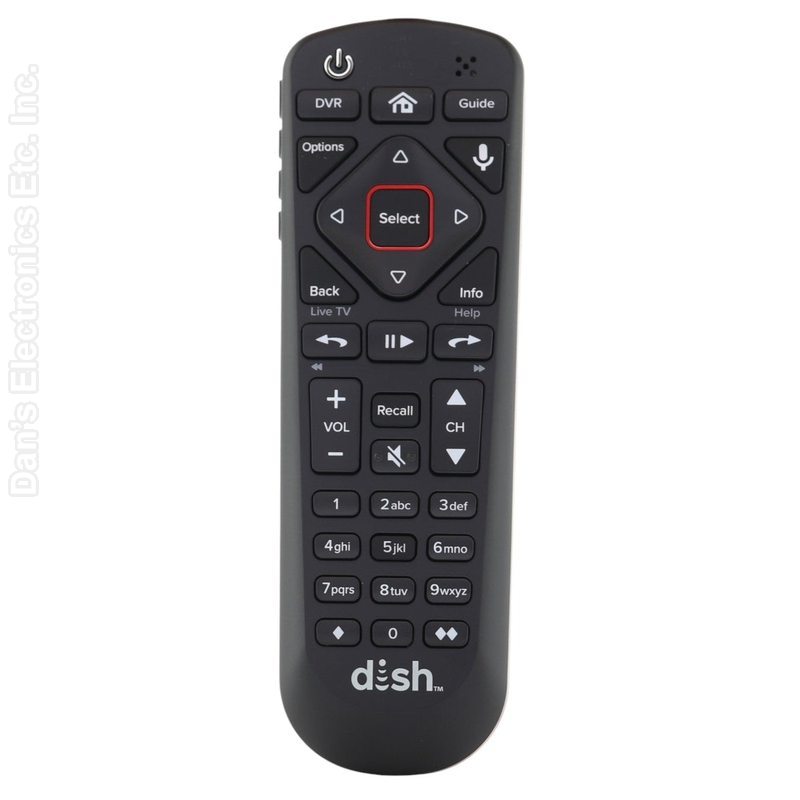
This is a replacement Dish-Network 54.2 voice remote for Dish-Network UHF 2G Satellite Cable boxes.
Specifications
- Ships as: DIS54.2
- Radio frequency (RF)
- Batteries: 2 AA (not included)
Good to Know
- Works with DISH Hopper, Joey and Wally receivers; it is not a universal remote.
Setup / Pairing
Turning on and pairing the remote
- Remove the back cover by pushing the latch upward, and remove the PULL tab.
- Replace the back cover.
- Open the front panel of your DISH receiver and press SYS INFO.
- Press the SAT button on the side of the remote. Three beeps mean it has paired with the receiver.
Programming the remote to your TV
- Press Home twice.
- Select Settings, then Remote Control.
- Select TV, then TV Pairing Wizard, and follow the prompts. You can also pair an auxiliary device such as a Blu-ray player or stereo.
What's in the Box
- 1 DIS54.2 remote
- Batteries not included
Compatible Models
- Dish-Network 54.2 (part number 227238)
- Supplied with: Dish, Hopper, Joey, and Wally
Before ordering, check the model or part number printed on your old remote (usually on the back or inside the battery compartment) and compare it to this list.
FCC ID : MG3-R32027B6
Dimensions: 2.00 x 6.00 x 1.00 (W x L x D, inches)