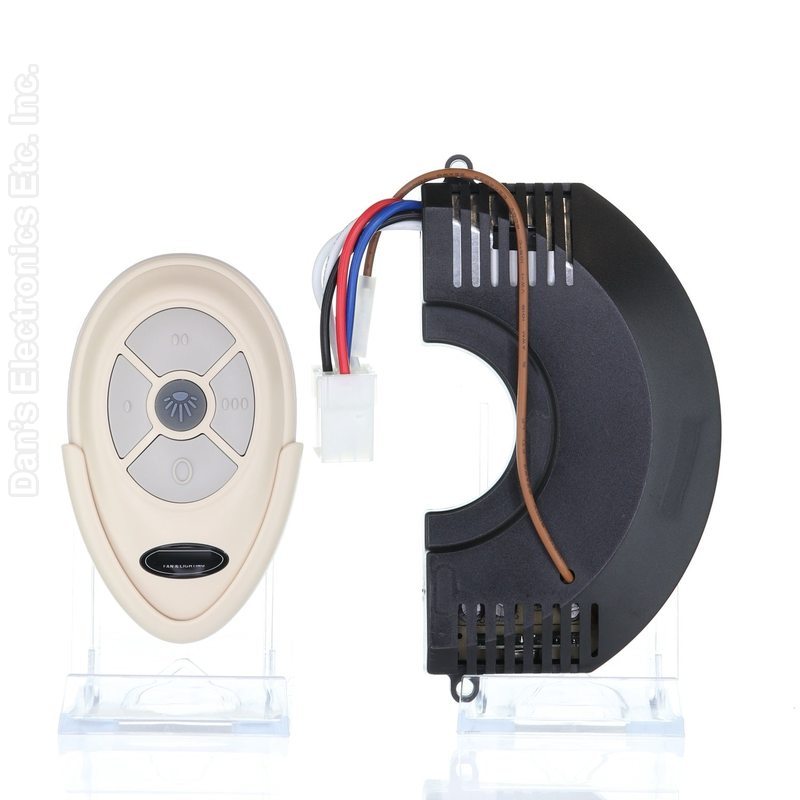
The Anderic FAN35T-FAN30R-KIT pairs the Anderic FAN30R receiver with the FAN35T remote for Harbor Breeze ceiling fans.
Specifications
- Kit: Anderic FAN35T-FAN30R-KIT
- Radio frequency (RF)
- Battery: 1 A23 (not included)
Good to Know
- Check that your fan uses a 9-pin plug receiver above the motor.
- Turn off power at the circuit breaker or fuse box before opening the fan canopy or housing. A qualified electrician is recommended.
Setup / Pairing
Installing the FAN30R receiver
- Turn off the power to the fan at the circuit breaker.
- Remove the motor housing on the ceiling fan.
- Unscrew the old receiver and unplug the nine-pin plug.
- Place the FAN30R above the motor.
- Plug the nine-pin plug into the FAN30R.
- Screw down the FAN30R to secure the receiver.
Battery
- Install an A23 12-volt battery (not included). Remove the battery if the remote will not be used for a long time.
- Store the remote away from excessive heat or humidity.
- The remote has 16 code combinations. If your fan and light turn on and off without your remote, change the code combination on the remote.
Pairing with a learning receiver (FAN30R)
- Remove the battery cover. Slide the code switches to your choice of up or down positions (factory setting is all up).
- Turn the fan's power off.
- Return power to the fan.
- Within 30 seconds of returning power, hold the LEARN key on the remote for at least 3 seconds. The light on the front of the remote blinks twice to confirm the receiver learned the code.
- Replace the battery cover.
What's in the Box
- 1 remote and 1 receiver
- Battery not included
Compatible Models
- Harbor Breeze ceiling fans that use a FAN-30R receiver
- Also works with: Harbor Breeze, Harbor Breeze KUJCE9603
Before ordering, check the model or part number printed on your old remote (usually on the back or inside the battery compartment) and compare it to this list.
FCC ID : L3HFAN35T1
Frequency (MHz) : 303.9