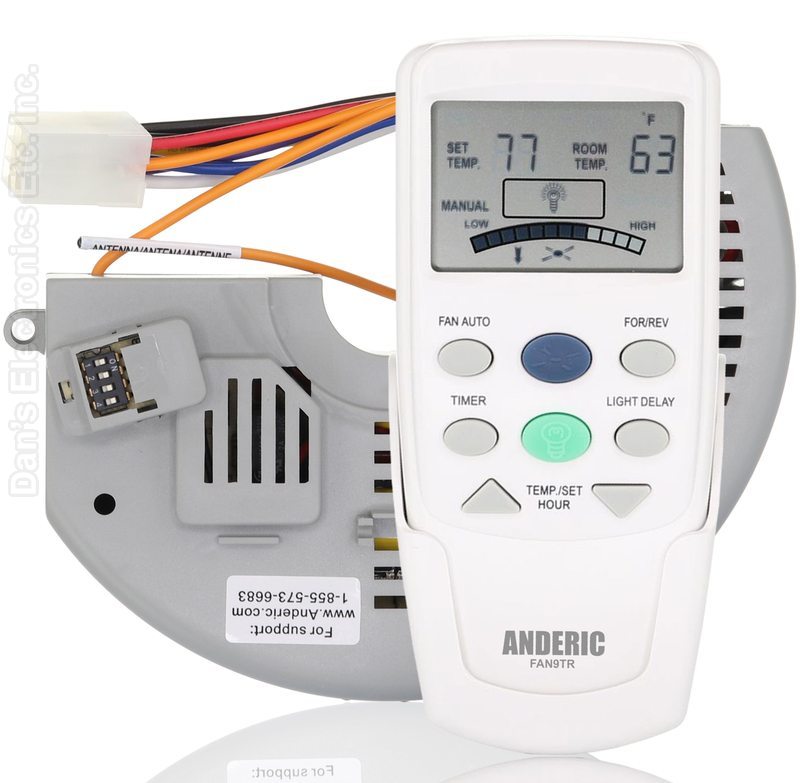
The Anderic FAN10R/FAN9TR kit pairs the Anderic FAN10R receiver with the FAN9TR thermostatic remote for Hampton Bay ceiling fans.
Specifications
- Kit: Anderic FAN10R/FAN9TR
- Radio frequency (RF)
- Batteries: 4 AAA (not included)
Good to Know
- The receiver mounts on top of the motor housing and plugs in with a 9-pin connector.
- Turn off power at the circuit breaker or fuse box before opening the fan canopy or housing. A qualified electrician is recommended.
Setup / Pairing
Installing the FAN10R receiver
- Turn off the power to the fan at the circuit breaker box.
- Remove the screws from the receiver cover on top of the motor housing.
- Remove any zip ties holding down the wires, and any screws holding down the receiver, if needed.
- Disconnect the 9-pin connector plug.
- Install the new receiver by doing the steps above in reverse order.
- Note the receiver's dip switch pattern for pairing in the next step.
Pairing the remote (16 codes, 4 dip switches)
- On the remote, remove the battery cover and set the dip switches to any pattern.
- On the receiver, set the dip switches to EXACTLY the same pattern as the remote.
- Replace the cover, restore power and test.
What's in the Box
- 1 remote and 1 receiver
- Wall mount bracket
- Batteries not included
Compatible Models
- Hampton Bay ceiling fans that use a FAN-10R receiver
Before ordering, check the model or part number printed on your old remote (usually on the back or inside the battery compartment) and compare it to this list.
FCC ID : L3HFAN-9T
Frequency (MHz) : 303.9